 Sheafpress
From first sentence to finished book.
Write in a calm editor, edit with a pass that only flags real problems, proof every page, design the cover, and export files you can upload. One app, one price, and your manuscript stays on your computer.
Windows 10 and 11 · 14 days, every feature · no account, no card · $59 once, no subscription
Your work stays yours
Everything is saved on your computer. No account, no cloud, no analytics, and it works offline.
Pay once
One price, no subscription, and every 1.x update is included.
Draft to upload
Writing, editing, interior design, covers and export live in one place, so your book never leaves the app until it is finished.
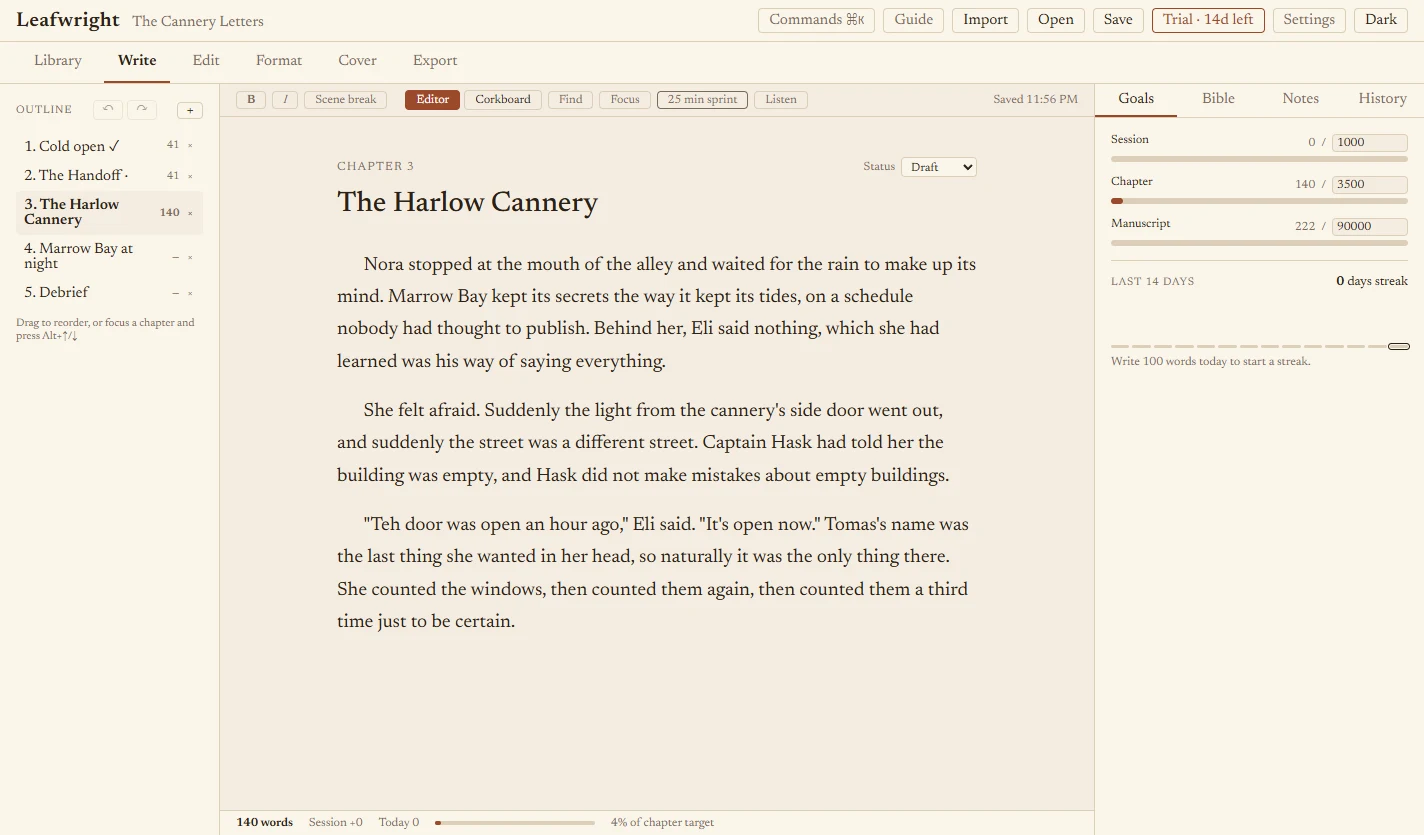
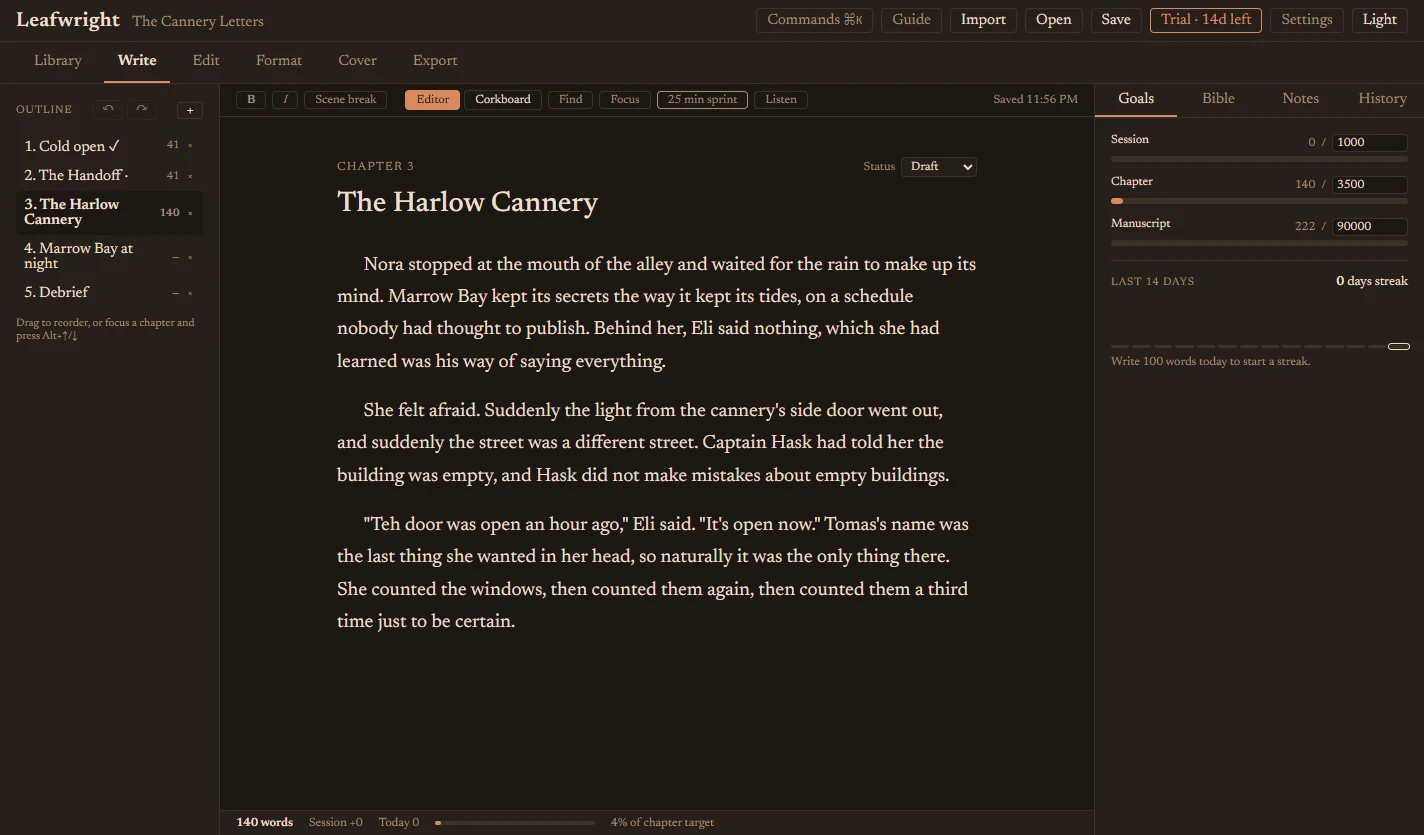
A quiet place to write the whole book.
Outline chapters, drag them into order, switch to a corkboard, and keep a searchable story bible beside the page.
- Word goals per session, chapter and book, with a 14-day streak
- Focus mode, 25-minute sprints and a light and dark theme
- Snapshots, undo for outline changes, and whole-book find and replace
- Read aloud, to hear the sentences that trip you up
- Import .docx, Markdown or plain text, split into chapters for you
An editing pass that doesn't cry wolf.
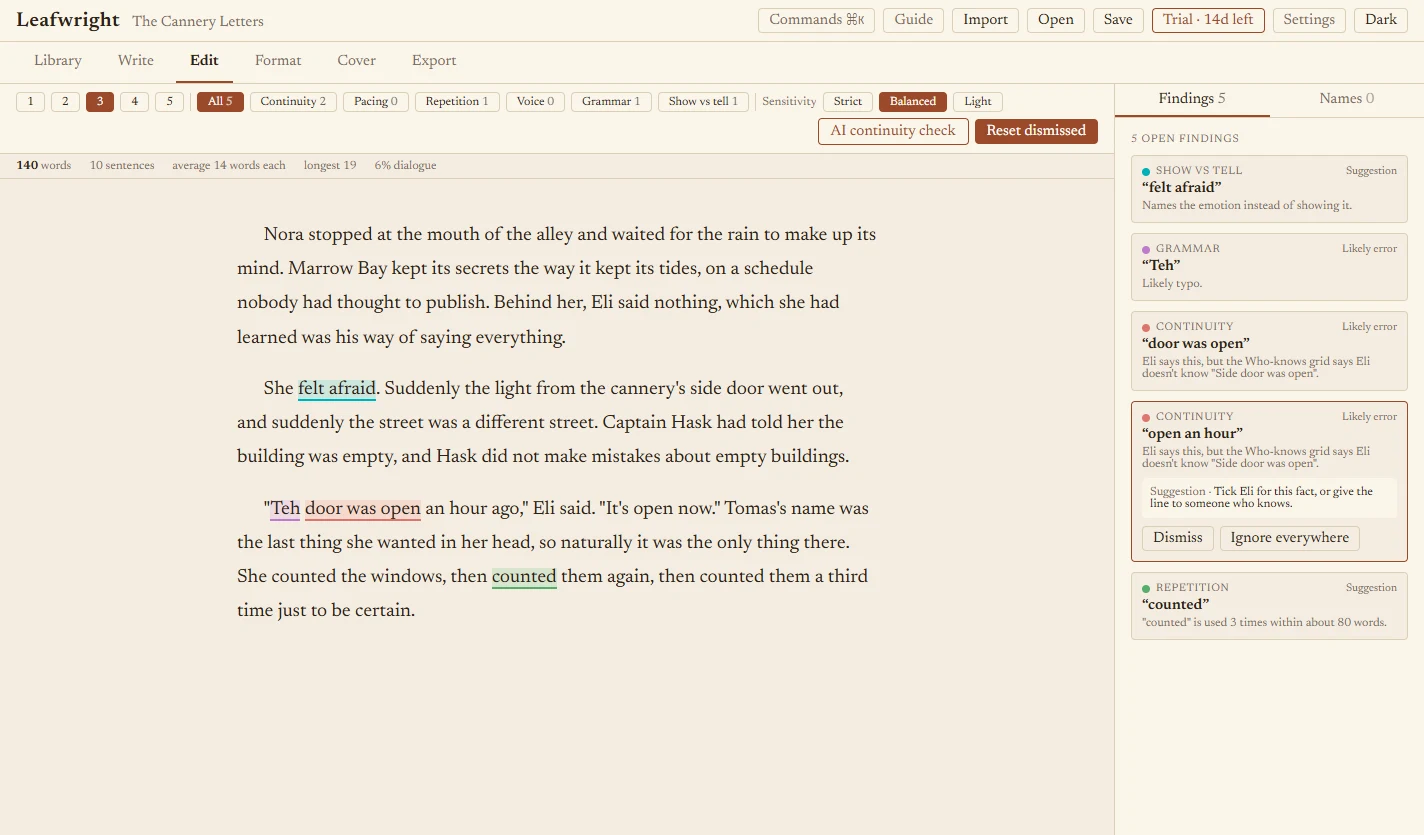
Most checkers flag everything. Sheafpress is tuned for precision: it only flags what an editor would act on, and every finding says exactly what it found.
- Continuity against your story bible and a who-knows-what grid: a secret mentioned before its reveal, a character saying what they can't know, a name misspelled
- Unknown names and places are never called errors. They go in a separate list you can add from
- Pacing means very long sentences and walls of text, not short sentences
- Strict, Balanced and Light sensitivity, "Ignore everywhere", and one-click fixes
- Click a finding to jump to the exact words, with the whole sentence highlighted
- Export your findings as tracked changes and comments in DOCX
Every manuscript, and every series.
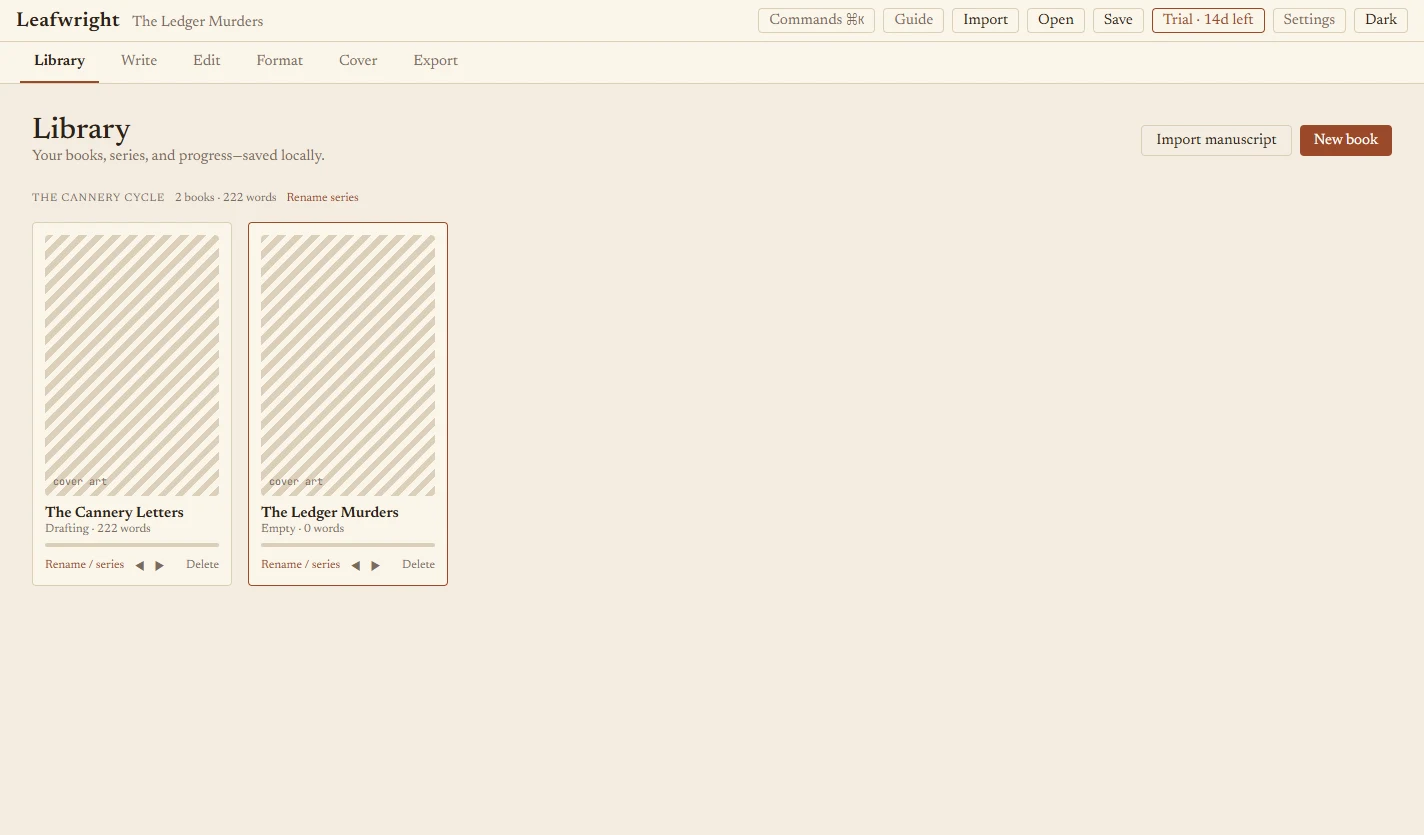
Keep all your books in one library. Group them into series, reorder them, and give a whole series one interior style.
- Rename books and move them into a series, or keep them standalone
- Rename or merge a series in two clicks
- New books in a series start with the series' interior style
- Progress for every book at a glance
See every page before you print it.
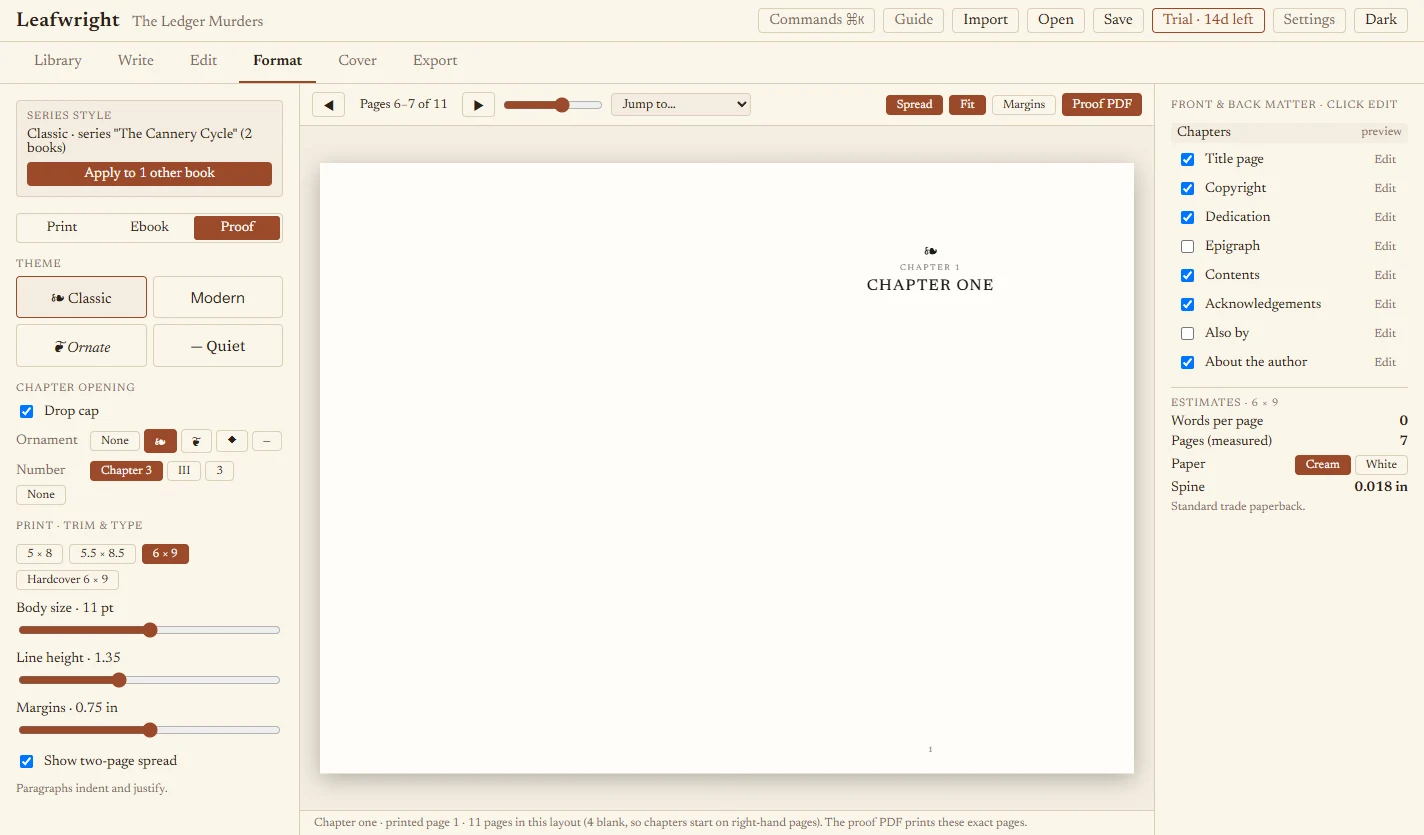
Pick a theme and trim size, then proof the whole book in two-page spreads. The proof PDF prints the exact pages you looked at.
- Real pages: right-hand chapter starts, drop caps, widow and orphan control, running heads, page numbers and a contents page
- Edit your title page, copyright page (publisher, ISBN, edition), dedication, epigraph, acknowledgements and author bio in the app
- Four interior themes, trims from 5 × 8 to hardcover 6 × 9, margins, type size and leading
- Ebook previews for phone, tablet and e-ink
- Page count, spine width and a preflight checklist for common print-on-demand problems
A cover for every book in the series.
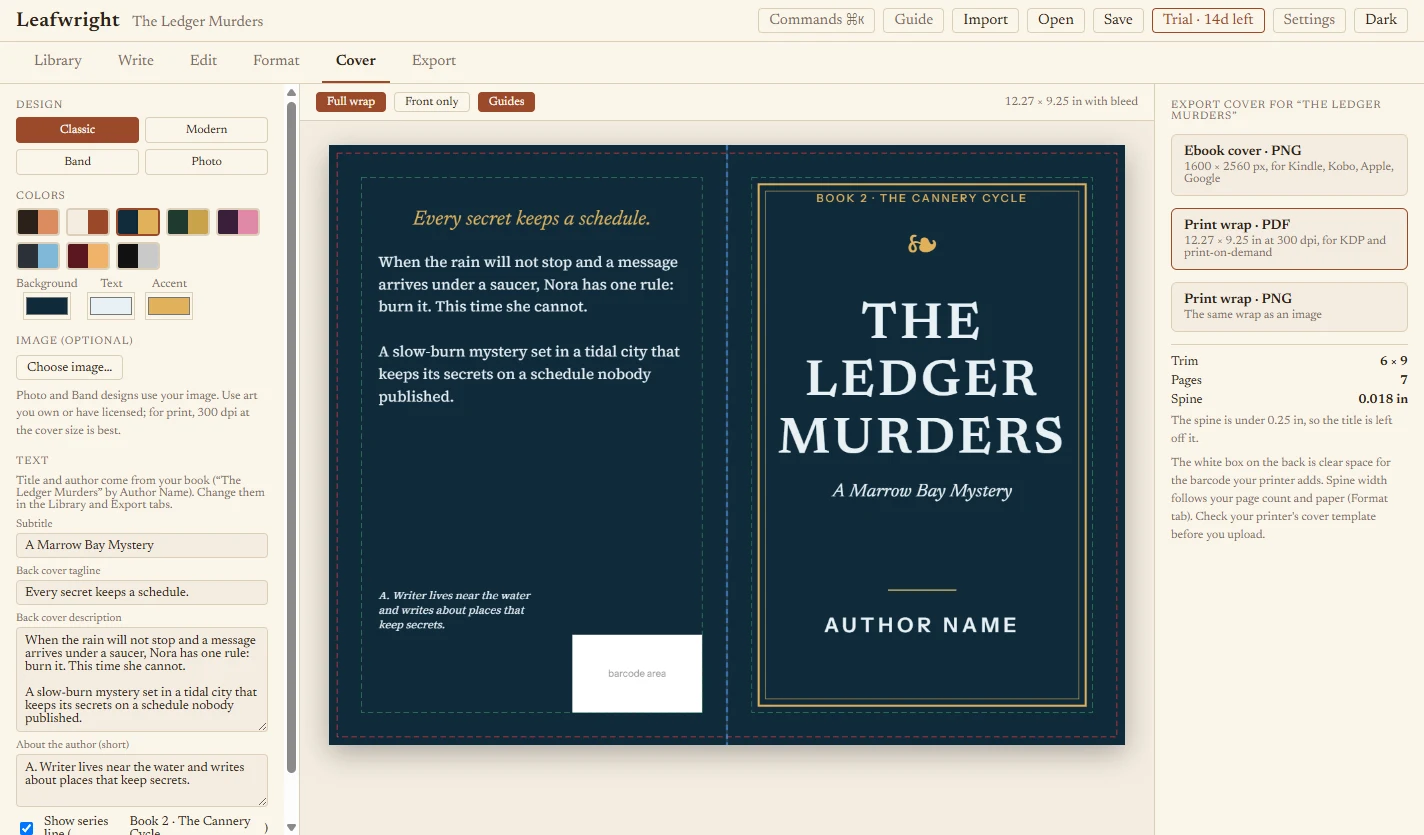
Design a cover for each book, with the spine width worked out from its page count and paper. Export the files your retailer or printer asks for.
- Four designs, eight palettes, or your own colors and artwork
- Front, spine and back cover with description and author bio, in one wrap
- Ebook cover as a 1600 × 2560 PNG; print wrap as a 300 dpi PDF or PNG with bleed
- Guides show trim, bleed, spine folds and safe areas
- Series books show "Book 2 · Series name"
Files your retailers and printers accept.
A preflight checklist flags a placeholder author name, empty chapters, page-count limits and margins that are too tight, before you upload.
EPUB
A wide-distribution ebook for the major ebook stores.
Print PDF
Your interior at the trim size you chose, from the same pages you proofed.
Covers
An ebook front cover and a print wrap sized to your trim, page count and spine.
DOCX
A clean manuscript, or a tracked-changes copy for your editor.
ACX script
A narration-ready text file for audiobook production.
.sheafpress backup
The whole project in one file. Always free, even after the trial.
Bring your own AI, or use none.
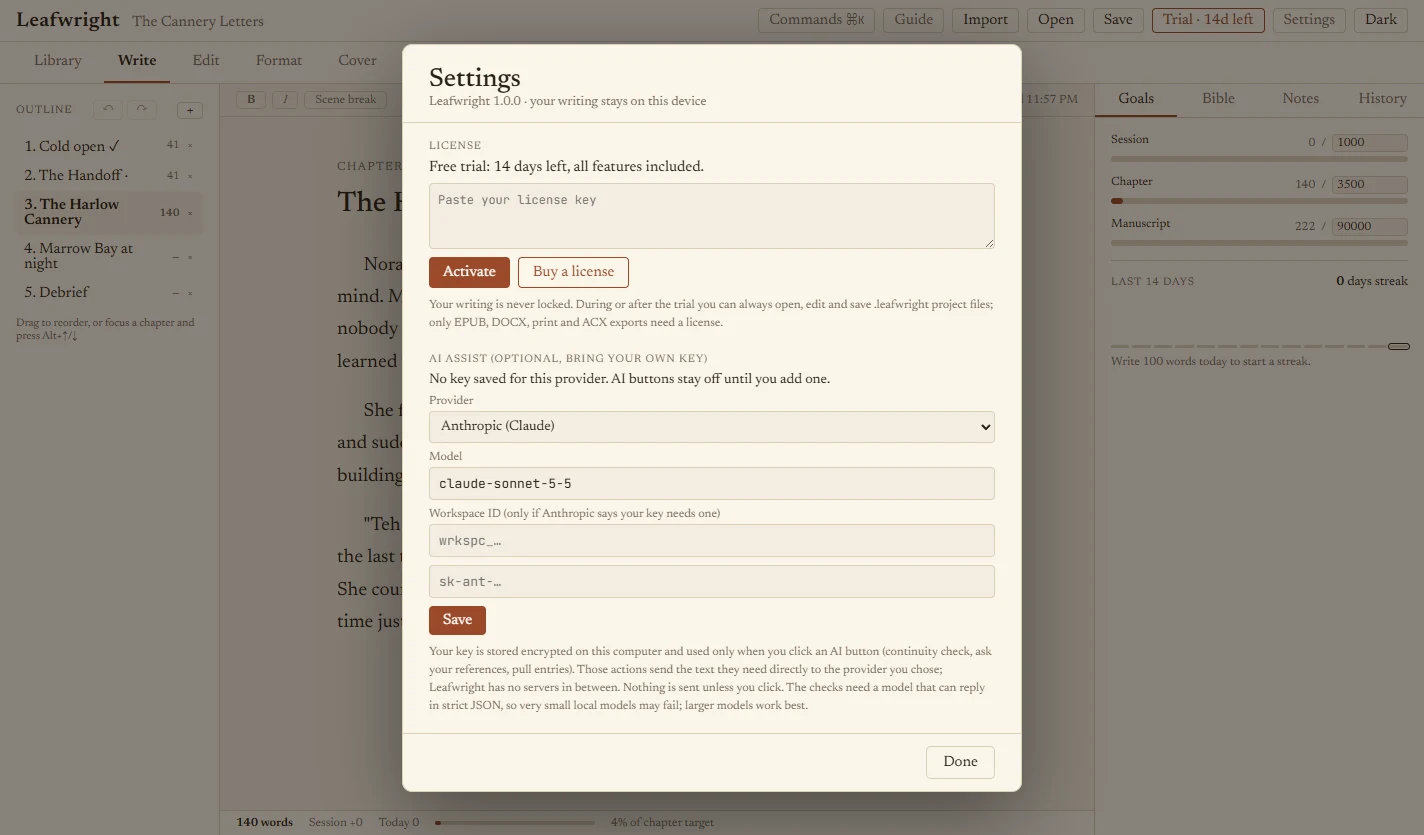
Sheafpress works fully without AI. If you want it, add your own key for the provider you prefer and use it for three things: a continuity check against your story bible, questions answered from your own notes, and pulling story-bible entries out of a reference document.
- Anthropic (Claude), OpenAI, Google Gemini, or any OpenAI-compatible service
- Point it at a local model such as Ollama and nothing leaves your computer
- Your key is stored encrypted on your computer and is never sent to us
- Nothing is sent until you click an AI button
Your manuscript stays yours.
Sheafpress runs on your computer and works offline. There is no account, no cloud service, no analytics and no ads. Your drafts are saved in your own user folder with crash-safe autosave and a rolling backup. Read the privacy policy.
No account
Install it and start writing.
Works offline
Fonts and the app runtime are bundled. Nothing loads from the internet.
No lock-in
Import from Word, Markdown or text. Export everything, any time.
Never hostage
After the trial you can still open, edit and save your work.
Pay once. Write forever.
No subscription. Every 1.x update is included.
- Every feature: write, edit, format, cover, export
- Unlimited books and series
- All version 1.x updates
- 30-day money-back guarantee
Not sure yet? Try it free for 14 days. Windows 10 and 11.
Questions
What happens when the trial ends?
You can still open, edit and save your books. Exporting EPUB, DOCX, print PDF, ACX and covers needs a license key.
Where is my writing stored?
On your computer, in your user folder, saved automatically as you type with a rolling backup. Use File, Save project any time to keep a .sheafpress backup wherever you like. Please keep backups, because no software is immune to disk failure.
Does it need the internet?
No. Only the optional AI features need a connection, and only when you click them.
Do I have to use AI?
No. The editing pass, proofing, covers and exports all run on your computer. If you want the AI buttons, add your own key in Settings for Anthropic (Claude), OpenAI, Google Gemini or any OpenAI-compatible service, including local models such as Ollama. You pay the provider for usage; Sheafpress adds nothing.
Is my manuscript used to train AI?
We never receive your manuscript. If you use an AI button, the text for that request goes from your computer to the provider you chose, under that provider's terms. Without AI buttons, nothing is sent anywhere.
Which platforms does it run on?
Windows 10 and 11 today. The same source builds for macOS and Linux, but those versions are not released yet.
Can I bring in a manuscript from Word or Scrivener?
Yes. Import .docx, Markdown or plain text and Sheafpress splits it into chapters. From Scrivener, compile to .docx first. You can export back out to DOCX at any time.
Will the files pass KDP and other retailers?
The preflight checklist catches the common rejection causes, but always preview your files in the retailer's own previewer and proof a printed copy, because retailers' rules change.
Can I use it on more than one computer?
Yes, on computers you own or control. The license is per person.
Can I get a refund?
Yes. Email support@sheafpress.com within 30 days of purchase.
Start your next book in Sheafpress.
Fourteen days, every feature, no account.